
If you fly a private or general aviation aircraft internationally into or out of the United States, eAPIS is part of the paperwork stack you cannot skip. It is not airline passenger customs at ORD or LAX. It is the electronic Advance Passenger Information System path CBP uses for GA and private aircraft. This guide is plain-language orientation for owner-pilots and operators. It is not legal advice. Rules change. The PIC owns compliance decisions. Always verify current requirements with official CBP sources before you file or depart.
GA Customs is a free finder and filter tool for U.S. Airports of Entry (hours, fees, notice notes, and pilot reviews). It helps you plan the landing side of an international GA trip. It does not file eAPIS for you and it does not replace CBP. Brought to you by PlaneWX.
What eAPIS is (and is not) for GA
eAPIS is CBP’s electronic system for submitting advance passenger and crew information on private aircraft. In practical terms, you register, build a flight manifest, and submit it before the international departure or arrival that requires it. Think of it as the electronic notice CBP expects so they know who is on the airplane and where you intend to clear.
What it is not:
- It is not a substitute for landing at a designated Airport of Entry when that is required.
- It is not a weather briefing or a go/no-go tool.
- It is not the same workflow as walking through an airline terminal customs hall.
- It is not optional because you are GA.” If the flight falls under the private aircraft eAPIS rules, you file.
When you file and what to have ready
Exact timing windows and eligibility live on CBP’s official eAPIS pages. Do not memorize a rumor from a hangar story. Before you open the portal, gather:
- Aircraft identity: registration (N-number), type, and any operator details the form asks for.
- People: full legal names, dates of birth, citizenship, document numbers (passport or other accepted travel documents), and roles (PIC, crew, passengers).
- Itinerary: departure airport, arrival Airport of Entry (or outbound destination as required), and the planned times the form expects.
- Contact path: a phone and email CBP can use if something is wrong with the submission.
- Operator / owner context: whatever the current form asks for your operation. Owner-pilot and Part 91 trips still need accurate data.
File early enough that a reject or correction does not push you past a hard departure. Many pilots file the day before or earlier once the people list and AOE are stable. If passenger names change at the last minute, update the filing rather than hoping CBP will “figure it out.”
Again: confirm the current submission window and any notice requirements on official CBP materials. This article will not invent a clock that CBP may change.
A practical filing walkthrough (high level)
Every screen can change. The workflow shape for most GA filings looks like this:
- Create or sign into your eAPIS account on the official CBP site. Use credentials you control. Do not share them casually around the FBO.
- Select the private aircraft / GA path that matches your flight. Do not wander into commercial airline flows.
- Enter aircraft and operator data carefully. Typos on registration or document numbers are a common source of rejects.
- Add each person with complete identity and travel document fields. Double-check passport expiry and name spelling against the document.
- Set departure and arrival points and times. Your U.S. arrival point for an inbound international flight should be a valid Airport of Entry for your operation, not “the closest airport with fuel.”
- Review the summary, submit, and save confirmation. Keep a copy (screenshot or PDF) with the flight papers. Confirmation is not a free pass past inspection; it is proof you submitted.
If the system rejects the filing, read the error. Most rejects are data quality: wrong document type, incomplete fields, or itinerary that does not match what CBP expects. Fix and resubmit. Do not depart hoping the portal “caught up.”
Common delays and mistakes
Common traps:
- Wrong airport of entry. Filing into a field that is not an AOE for your arrival type, or planning a first U.S. landing somewhere that is not designated when the regs require one.
- Last-minute passenger swaps. Adding a friend after submit without amending the manifest.
- Document mismatches. Nickname on the form, legal name on the passport.
- Assuming airline terminal knowledge transfers. GA clearance is port-specific. Hours, user fees, and advance notice vary by Airport of Entry.
- Treating eAPIS as the whole compliance story. eAPIS is advance information. You still land where you must land, talk to the port when required, and follow whatever CBP directs on the ground.
When something looks off, call the port or use official CBP channels. Hangar folklore is not a primary source.
How GA Customs helps without owning the legal call
eAPIS answers “who is on the airplane and where are we going.” It does not answer “which U.S. Airport of Entry is open, what notice do they want, and what did the last pilot say about the clearance.” That planning friction is where GA Customs sits.
GA Customs is a free Flutter iOS app from the PlaneWX family. Use the official PlaneWX product page at planewx.ai/ga-customs to start planning. Use it to:
- Find and filter U.S. Airports of Entry on a map
- Check hours, fees, and notice notes before you lock the itinerary
- Pull offline fact sheets when you are away from good Wi-Fi
- Tap to call the port from the airport page
- Read pilot reviews about how the clearance actually went
It does not file eAPIS. It does not claim CBP authority. The PIC still owns the compliance go/no-go. Pair the app with official CBP eAPIS filing and port confirmation.
Open the product home at planewx.ai/ga-customs, join the beta on TestFlight, or download the app from the App Store.
Soft CTA and next read
File eAPIS early, keep the people list honest, and pick an Airport of Entry you have actually researched. Then verify with CBP before you launch.
Next: U.S. Airports of Entry for GA (once published) and the GA Customs app explainer.
Brought to you by PlaneWX.
GA Customs airport details at a glance
!Map view of U.S. airports of entry
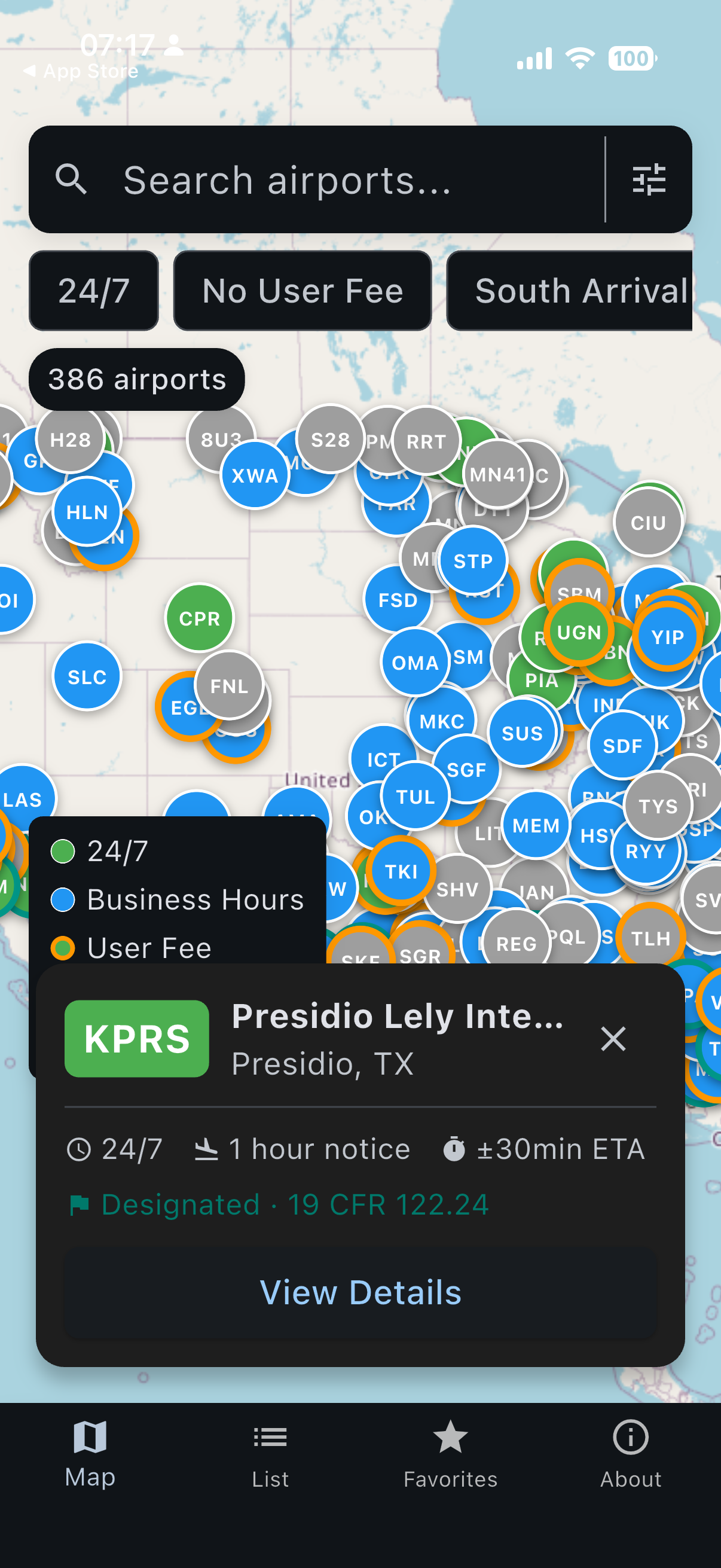
Map view of nearby airports of entry.
!Airport hours and requirements
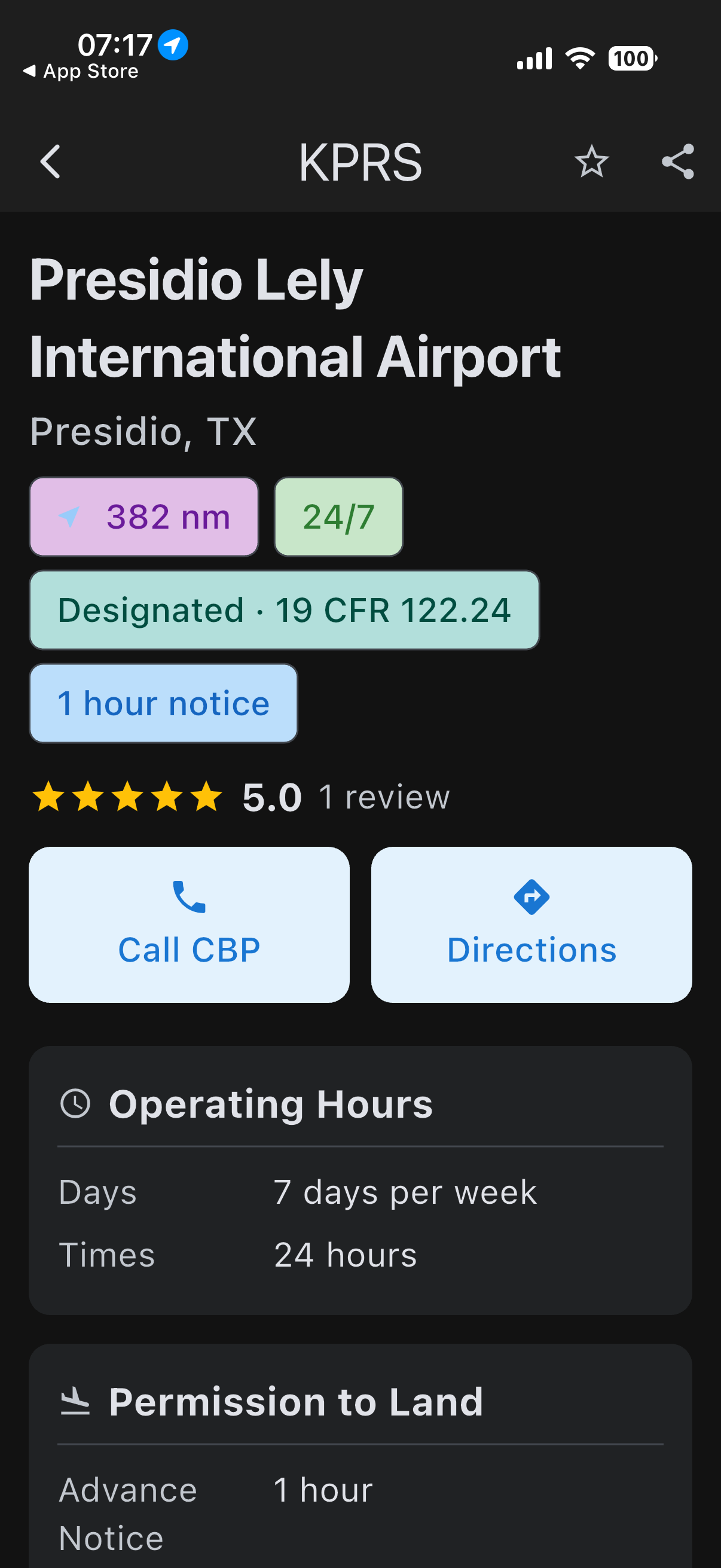
Airport hours and advance-notice details.
!Customs arrival process and reviews
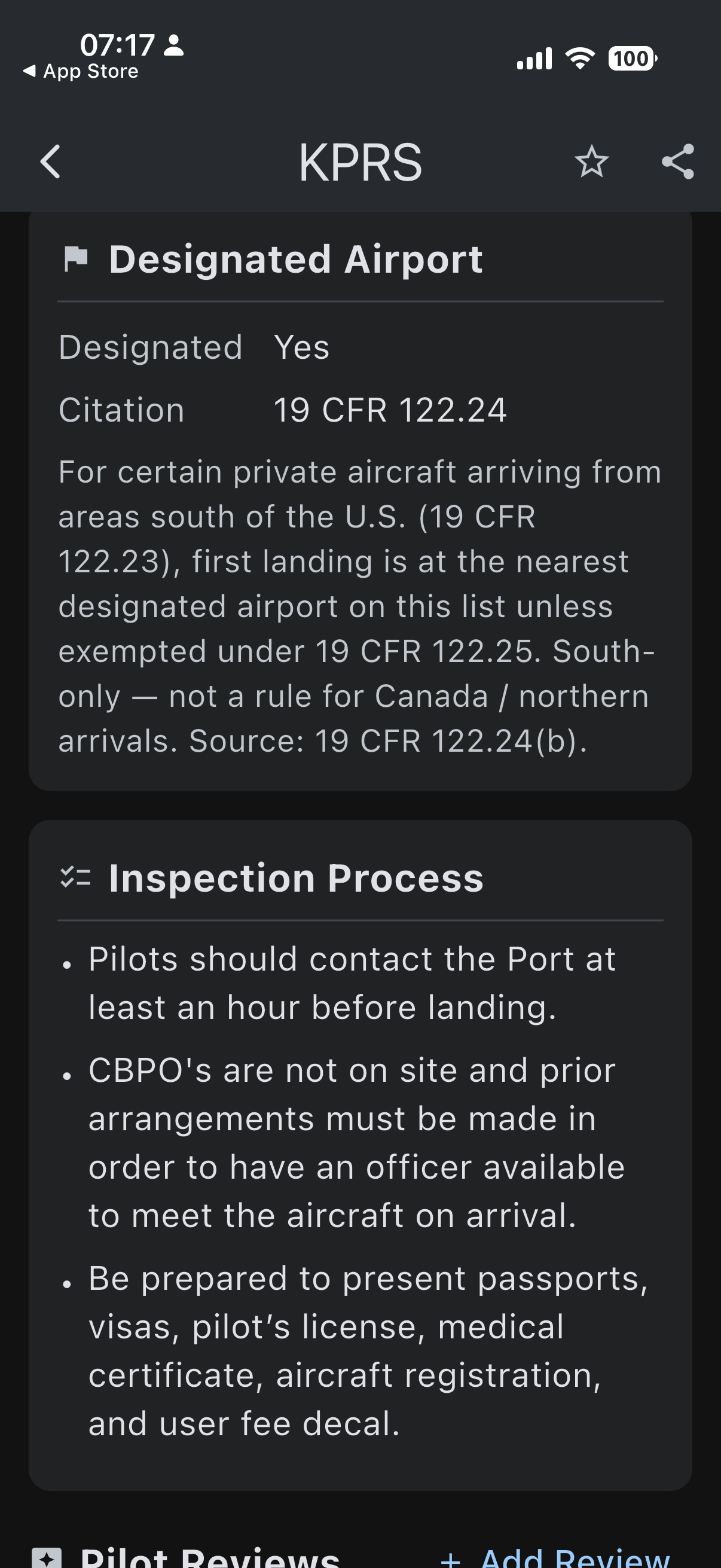
Arrival process details and pilot reviews.